
Young Girl ReadingJean-Honoré Fragonard, c. 1769, National Gallery of Art, Washington

A girl so taken by her book that the room has gone. Tulparus for Mac is built for work like that: one case open in front of you, and nothing in the way.

Start on the casethat stayed open.

Tulparus for Mac, and for any modern browser. One universal build for Apple silicon and Intel on macOS 14 or later; or nothing to install at all.
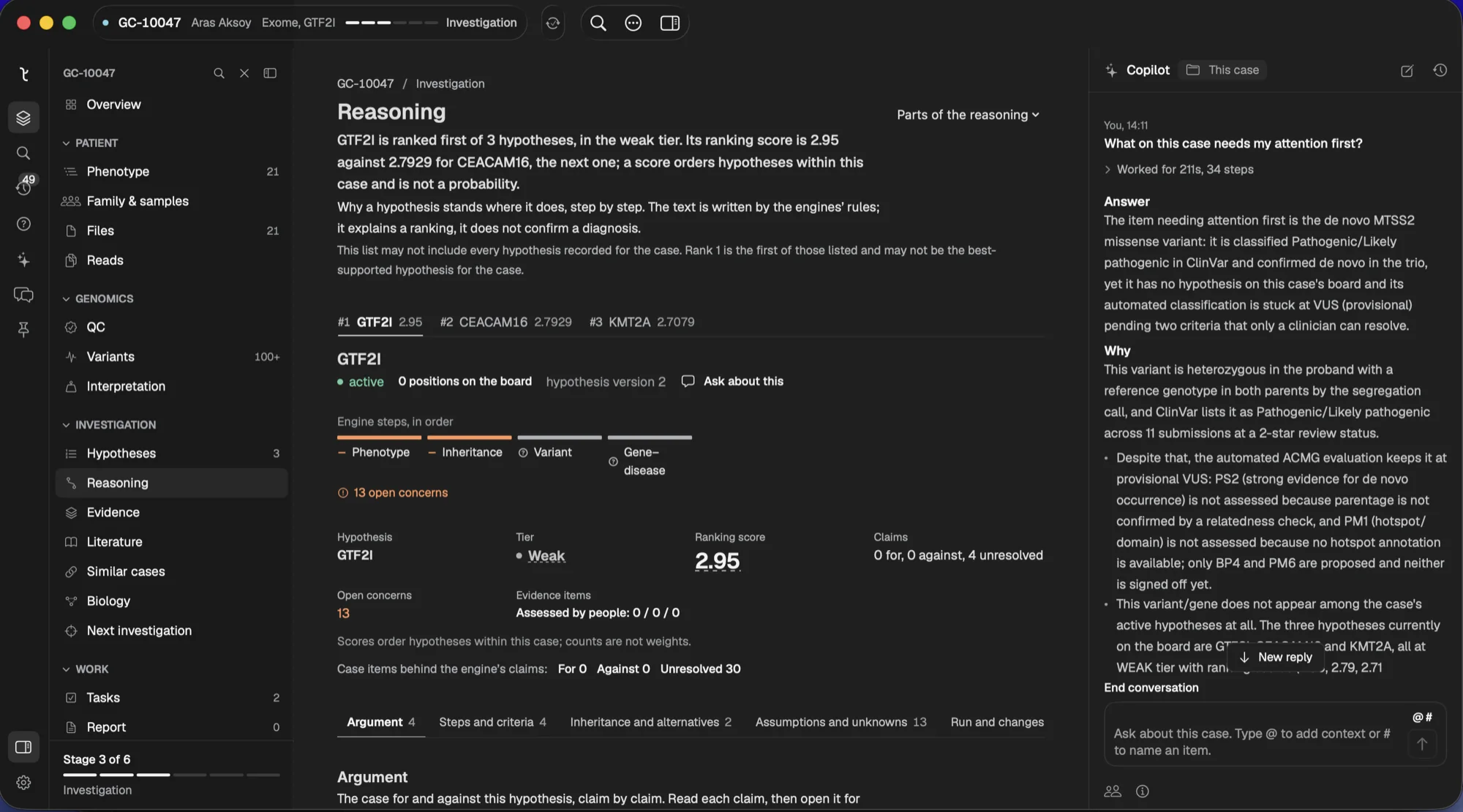
Tulparus for macOS

One workbench. On your Mac and in your browser.

Every feature, every case and every sign-off is the same in both. Install the Mac app for a window that is only the case, file drops and system notifications, or open it in any modern browser and keep the same record. Choose by habit, not by feature; nothing is desktop-only.

Two ways in. One Tulparus.

Pick by habit, not by feature. Switch whenever you like; the case comes with you.

One download for every Mac.
Universal · macOS 14 or later
A window that is only the case.
Nothing to install.
Safari, Chrome, Edge, Firefox · Mac, Windows, Linux
Every feature, on any computer. Same account, same cases.
Tulparus for Windows is on its way. Coming soon

Same features on Mac and in the browser.

Use whichever you like. The Mac app adds a few things a browser cannot do.

Mac appBrowser
Case record, phenotype, family and consents
Ranked genes and candidate new genes
Agents and case assistant, with sources
Sign-off, audit trail, reports
Re-checks when knowledge changes
Large uploads, resumable
Drag files straight onto a caseupload button
Notifications when a run finishesin-app alerts
A window that is only the casea browser tab

From download to first case in a minute.

Download and drag
Open the disk image and drag Tulparus to Applications.
Open it
macOS checks the notarised signature and asks once whether to open it. No settings to change.
Sign in
The account you use in the browser. Your Mac is enrolled the first time.
Continue
Your cases are already there. Drop a run folder on one, or pick up where the browser left off.

Common questions.

Do I need the app?No. The browser has everything. The app is for people who want a separate window, drag-and-drop files and system notifications.
Can I use both?Yes. It is one account and one set of cases. Switch whenever you like.
Where is my data?On the Tulparus service, for both. The app is a window onto the same record; it needs a connection and is not an offline copy.
How do updates work?The app checks for updates on its own and installs them when it quits. The browser is always up to date.
Windows or Linux?A Windows app is coming. Until then, and on Linux, use the browser: it has every feature.

Download Tulparus.
Or just open it.

No access yet? Book a demo.